No rule gives a safe wattage for each millimeter of channel width. The strip, the channel, the mounting and the air around them set the temperature together, so rank candidate pairs by heat load on the channel’s exposed surface, then measure the one you will build against the maker’s temperature limit.
A typical question from a designer: “We have a 7.6 W/ft COB strip and a 15 mm channel. Is that enough?” The honest answer is a method. The same pair that runs cool along an open corridor cove can run hot in a closed display case, and a table of watts per millimeter would approve both.
Why There Is No Per-Millimeter Rule
Heat leaves a strip along a path: through the board and the adhesive into the channel, along the metal, and from the metal into the air. Each step changes with the job.
- The strip. Watts per foot, copper weight and drive current set how much heat enters the path. Our thermal management guide covers all three, and says a strip at 6 W/ft or more needs aluminum behind it.
- The channel. Wall thickness, mass, surface area and finish change how fast heat spreads and sheds. One vendor reports that moving from a 1 mm to a 2 mm wall lowered board temperature by 6 to 8 °C at 15 W/m, and another that finned profiles help convection. Both are vendor figures and neither is an independent test.
- The mounting. A channel screwed to a metal frame sheds heat into the frame. The same channel glued to drywall in a closed cove has only its own surface.
- The air. One vendor says enclosed coves or high ambient temperatures can cut dissipation by 20 to 30 percent compared with open, ventilated spaces. Treat the number as a vendor claim and the direction as sound.
A per-millimeter rule fixes one of those four and hides the others, which is why none exists. We searched for independent measurements of temperature rise against watts per metre for a channel profile and found none, only vendor claims. That is the starting point: if the data does not exist for your pair, you generate it.
What Public Tests Show
Independent measurements of temperature rise against watts per metre for channel profiles are scarce. What exists is informal, and it is worth reading only for direction. A maker’s bench test at about 11 W on a 12V strip and 20 °C ambient measured the loose strip at 57.0 °C, an open aluminium channel at 48.4 °C and a covered channel at 59.6 °C, and the author put the covered result down to poor airflow and not to the metal. The same test showed how strongly power matters: lowering the supply from 12 V to 10 V cut the strip from 57 °C to 34 °C. A separate bench experiment found aluminum in open air coolest and strips on chipboard with a diffuser hotter, and judged cooling adequate under about 6 W/ft with a diffuser, which matches the line in our thermal guide. These are single, unaudited tests with no strip length given, so they cannot be scaled to your pair. They support the method: cover and airflow can matter as much as the metal, and only your own measurement counts.
Rank the Pairs: Watts per Square Inch
A screening index helps decide which pairs to test first. Divide the strip’s watts per foot by the exposed surface of the channel per foot. For a surface-mount profile, count the top face and the two sides: width plus twice the height, times 12 in.
The index is a ranking, not a limit. It has no safe value, because the four factors above change what any number means. A pair with a lower index has more surface per watt and more margin, and a pair with a higher index should be tested first.
| Channel | Max strip width | Exposed surface per foot | Strip | Power | Index |
|---|---|---|---|---|---|
| UT-CH1207 (12×7 mm) | 8 mm | 12.3 in² | UT-C528-8-FC | 4.0 W/ft | 0.33 W/in² |
| UT-CH1013 (13×10 mm) | 10 mm | 15.6 in² | UT-C480-8 | 3.2 W/ft | 0.21 W/in² |
| UT-CH2415 (24×15 mm) | 15 mm | 25.5 in² | UT-C960-15 | 7.6 W/ft | 0.30 W/in² |
| UT-CH3020 (30×20 mm) | 20 mm | 33.1 in² | Two rows of UT-C480-8 | 6.4 W/ft | 0.19 W/in² |
The table shows something a width rule would miss. The narrow UT-CH1207 with a 4.0 W/ft strip is the most loaded pair, at 0.33 W/in², and the large UT-CH2415 with a 7.6 W/ft strip is nearly as loaded at 0.30. Power does not rank them. The ratio of power to surface does. The widest channel, the UT-CH3020 with two rows of an 8 mm strip, has the most surface per watt. Our channel page lists the doubled-strip use of the UT-CH3020, and every strip width must fit the channel’s maximum, which is why the 30 mm board at 12.2 W/ft is not in the table: it is wider than any of these channels takes.
If you are choosing between a wider channel and a lower-power strip, the index shows what each change buys. Moving the 7.6 W/ft strip from the UT-CH2415 to a channel with twice the surface halves the index to 0.15. Drawing half the power does the same, to 0.15, and a dimmed strip does draw less. Dimming lowers watts and heat together, which is why a maximum level set below full output is a real option.
What the Index Leaves Out
The index counts surface and power. It cannot see:
- The mounting surface. A channel on a metal frame behaves better than the index says, and a channel against insulation behaves worse.
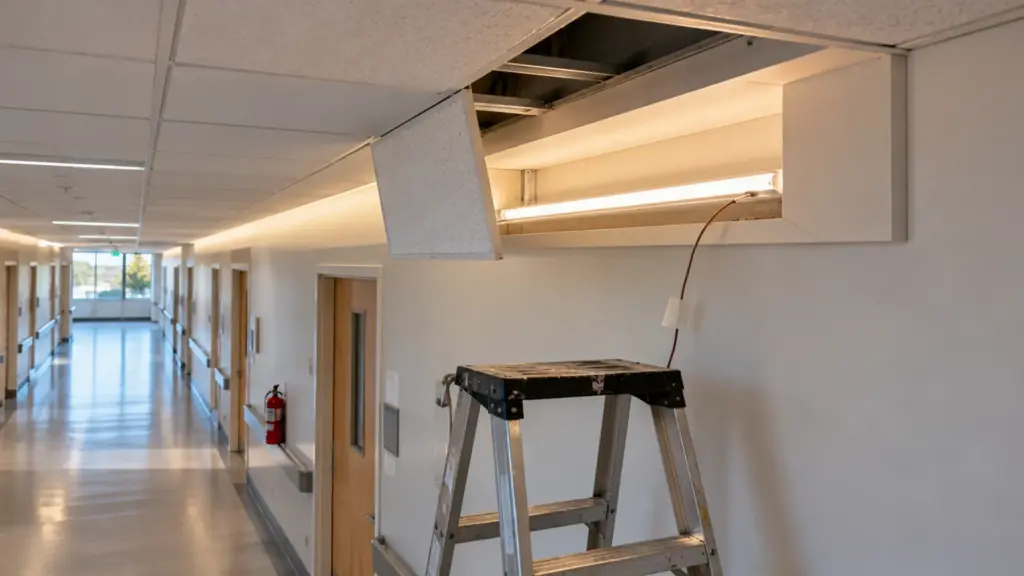
- The enclosure. A closed cove traps warm air, and the same pair in a closed detail needs more margin. Our guide on strip thermal management lists the usual closed spaces.
- The cover. A PC cover over the channel adds a poor conductor on the face you counted as exposed, so the top face contributes less than the index assumes.
- Contact. A strip that is not bonded flat to the channel floor does not conduct. Bubbles and bent ends raise the temperature locally.
- Ambient. The ambient at the worst hour of the worst day is the one that counts, and a datasheet’s rated ambient is the limit.
Use the index to choose which pair to test and to explain the choice to the owner. Do not use it to approve one.
Doubled Strip in a Wide Channel
The UT-CH3020 carries wide or doubled strip for higher output, and the doubled case needs its own care. Two rows side by side put twice the heat on the same floor, and the heat concentrates in the middle of the channel where the rows meet. The index treats the two rows as 6.4 W/ft over the whole surface, which is true on average and wrong at the center. Leave a small gap between the rows if the channel’s width allows, bond each row flat, and place the thermocouple between the rows in the test, not on the outer edge. If the reading is high, reduce one row’s power before you widen anything.
Dimming as a Design Lever
The cheapest way to lower the load on a channel is a lower maximum output. A strip run at 80 percent of full output draws less power and makes less heat, and a design that needs a given brightness can often be built with headroom and set below full. Our lifespan guide makes the same point from the other side: design for more light at opening and dim it down, so the system can be turned up as the LEDs age. Set the maximum level on the controller or the driver, write it on the commissioning sheet, and run the test at that level and at full, so the owner knows what each costs.
Run the Test
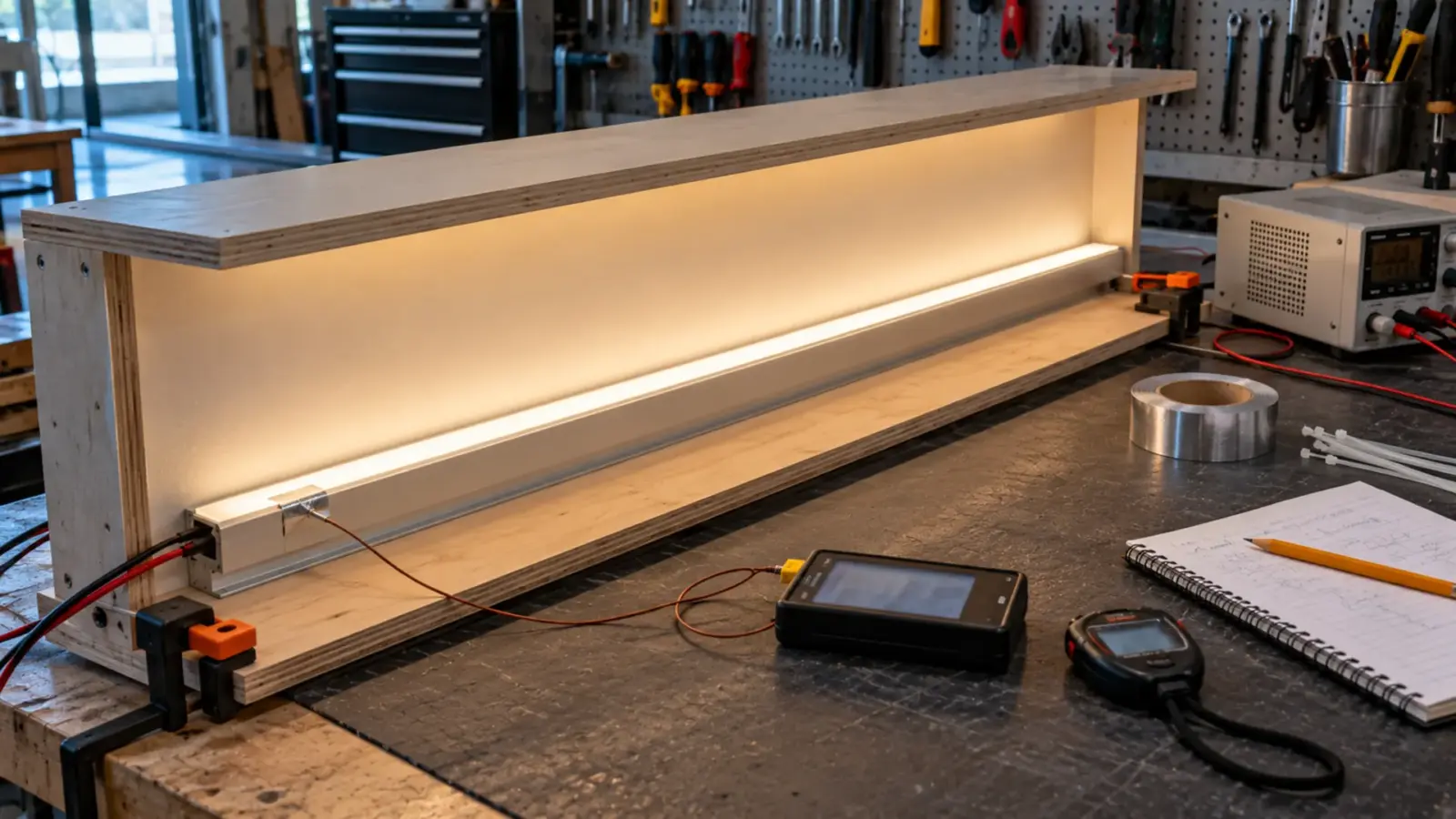
Build the real pair in the real detail and measure it. A test that matters follows these steps.
- Build the detail as it will be built: the channel, the cover, the strip, the mounting surface and the enclosure, not a bench sample in open air.
- Attach a thermocouple at the solder point. OSRAM’s and Cree’s application notes recommend attaching it on the contacts under the LED, as close to the chip as possible, with the lead insulated. Do the same on the strip’s hottest region, usually near a feed and in the middle of the run.
- Run it at full output at the worst ambient you can create, in the closed detail. Dimmed readings do not prove full-output readings.
- Wait for a steady state. One test description in a patent runs the device until the solder-point temperature stabilizes, typically 30 to 45 minutes. Treat that as a reference, and keep logging until the reading stops rising.
- Record the temperature rise above ambient, and the ambient.
- Compare with the maker’s limit. Ask the strip’s maker for the maximum PCB or solder-point temperature for the model, because the spec table does not list it. A figure from another maker’s product does not transfer. One vendor calls a 155 °F reading in a 77 °F room acceptable for its film-grade strip. That is its judgment about its own product, and it is not a limit for ours.
A rise measured in a mockup is evidence for that detail. Our warranty policy treats temperatures outside the datasheet range as an exclusion, so the datasheet range is the number to check against.
Write the result down in a form the next person can use. One row is enough:
| Field | Example entry |
|---|---|
| Pair and detail | UT-CH2415 with UT-C960-15, cove with lip and 4 in gap |
| Ambient at test | The measured room temperature |
| Output level | Full, and the dimmed maximum |
| Time to steady state | Minutes until the reading stopped rising |
| Temperature rise | The measured rise at the solder point |
| Maker’s limit | The figure from the strip maker, with the date |
| Margin | Limit minus measured temperature |
| Tested by and date | Name and date |
Keep it with the mockup photos. If the detail changes later, the record shows what was tested.
Reading the Result
| Result | What it means | Action |
|---|---|---|
| Well under the maker’s limit at the worst ambient | Margin exists | Build it, and keep the test record |
| Close to the limit | No margin for a hot day or a dirty channel | Lower the watts per foot, dim, widen the channel or open the detail |
| Over the limit | The pair does not work | Change the strip power, the channel or the enclosure, and retest |
| Hot at one spot only | Contact or a feed problem | Check the bond, the connector and the cable |
| Rising after hours of running | Not at steady state | Keep running before you read |
A Worked Pair
Take the UT-CH2415 with the 7.6 W/ft UT-C960-15, in a ceiling cove with a lip and a 4 in gap at the top. The index is 0.30 W/in². The pair sits at the upper end of our four, so it is the one to test, and the test is in a mockup cove with the lip and the gap as drawn.
Suppose the mockup runs closer to the limit than the owner will accept. The options in order of cost are: set the maximum level 10 percent below full output, open the cove gap to ease convection, change to a lower-power strip such as a 3.2 W/ft strip in the UT-CH1013 at 0.21, or choose the UT-CH3020 with two rows of a lower-power strip at 0.19. Each changes the index and the measured rise, and the test shows whether the change was enough. The measure is the rise, not the index.
When to Choose Differently
If the project is high-power or closed, ask the strip’s maker for the thermal limit, and the channel maker for thermal resistance. If either cannot answer, treat the pair as untested and build the mockup. For a custom profile, the maker’s own test is worth more than any index, so ask for it.
Final Checks
- Index calculated for each candidate pair, and the highest one tested first.
- Mockup built in the real detail, with thermocouples at the solder point.
- Full output at the worst ambient, logged to steady state.
- Maker’s limit obtained for the model, and the margin written down.
- Closed or hot details flagged on the drawing.
The channels in the table are on our LED channels and diffusers page, and the COB strips are on our COB LED strip page. Send the pair and the detail with your quote request and we will check the combination against the spec tables before the mockup.