A wireless controller does not fail a handover on range. It fails because nobody owns the network. The installer’s phone holds the only login, the gateway sits in a ceiling nobody has a drawing for, and the first time the building’s internet drops, the lobby cove goes dark with a wall panel that no longer answers.
For a commercial job, pick the wireless controller by what the owner’s staff can service after handover, not by the app. Test five things: who owns the network and the login, what works with the gateway pulled, what the lights do when power returns, how many zones it really runs, and whether it meets the energy code. Wired 0-10V or DALI is the fallback.
Four Wireless Families, One Handover
The families differ in how they are built, and the build decides what fails. Here is how four compare, with the source for each row’s claims.
| Family | Built as | Needs | Scale | Watch for |
|---|---|---|---|---|
| Wi-Fi controller with a phone app | A star around an access point (Electronic Products, 2016) | A router; ask whether the maker’s cloud service is also needed | The router’s and the maker’s stated device limits | Our practice: an account in the owner’s name, not the installer’s |
| 2.4G RF remote and receiver, such as our UT-CRF-24G | A receiver controller between driver and strip, with a remote or a wall panel | A power feed; the wall panel is battery powered (our B12 guide) | 4 zones per receiver on our table | Battery state; ask whether the setup can be exported |
| Bluetooth mesh | Mesh; the Bluetooth SIG says it needs no centralized controller | A gateway where it meets building systems; the SIG cites a Mesh-to-DALI gateway specification | Thousands of nodes; the SIG cites about 4,000 in one office tower | Vendor ecosystems, commissioning ownership |
| Zigbee | Self-forming network on 802.15.4, with 2.4 GHz the main band (Silicon Labs) | A coordinator that forms the network; in many products it sits in a hub or gateway, so confirm which device it is | Several devices to thousands (Silicon Labs) | The coordinator as the owned device |
The Wi-Fi row rests on a 2016 article and the Zigbee row on a chip vendor’s documentation, so check each product’s own datasheet for the current specification. FacilitiesNet’s 2010 piece adds a warning that has aged well: many manufacturers use proprietary signaling, so expansion may be limited to one maker’s products.
Here are the five gates at a glance, before the detail.
| Gate | The test | A pass looks like | A fail costs |
|---|---|---|---|
| 1. Ownership | The owner’s staff signs in on their own device | Every zone visible, setup exported | A service call for each new zone |
| 2. Gateway pulled | Power off the gateway and the internet | Wall panels and schedules behave as written | A dark lobby on the day the router changes |
| 3. Power return | Switch the circuit off and on in two scenes | Lights return in the stated state | Complaints after the first outage |
| 4. Zone scale | Count zones, scenes and panels from the plan | Under the family’s stated limit | A second system bolted on later |
| 5. Code and FCC | Match the controls rows to the datasheet | Sensor input and FCC statement present | A failed functional test |
Gate 1: Who Owns the Network
Ask who holds the administrator login, the network key, the gateway and the commissioning file, and put the answer in the closeout documents. The failure is quiet: the installer’s account owns the project, the installer leaves, and the facility team cannot add a zone or replace a failed node without the person who is gone.
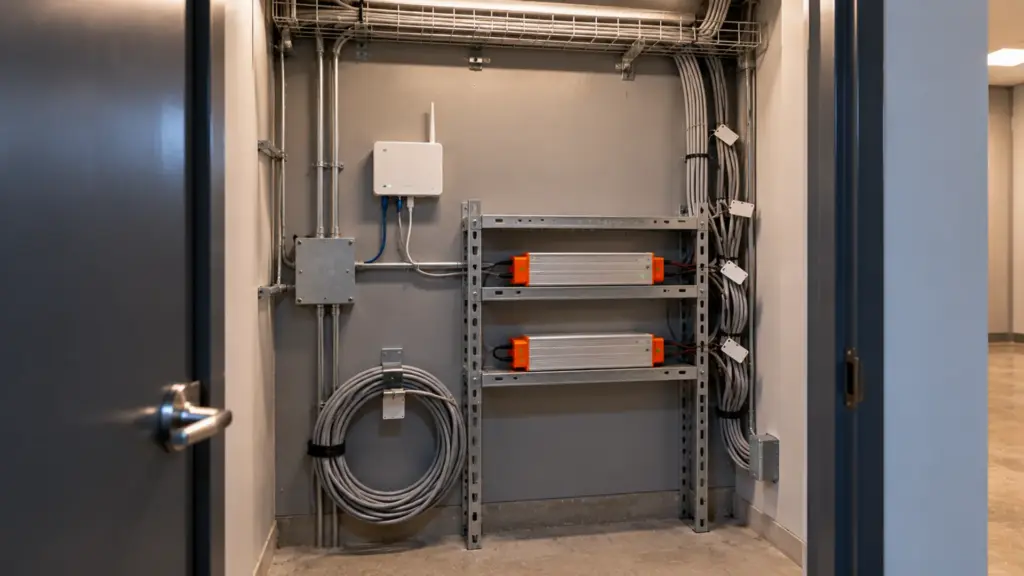
The test is simple. The owner’s named staff member signs in on their own device, sees every zone and exports or photographs the setup. If they cannot, the system has not been handed over, whatever the lights are doing.
Put these in the closeout package: who holds the login and on which email, the gateway’s model and serial number, the network name, the firmware version and the date it was commissioned, and a copy of the setup file if the system makes one. It is a one-page sheet, and it is the document the next technician will ask for first.
Gate 2: What Works With the Gateway Pulled
Pull the gateway’s power and the building’s internet connection, and see what still answers. The families split here. The Bluetooth SIG says a Bluetooth mesh lighting system does not need a centralized controller, because the intelligence sits in the end devices, and describes the relaying as multipath and self-healing. A Zigbee network is formed by a coordinator, which Silicon Labs describes as responsible for forming a centralized network, and its overview says networks self-configure and fix routing problems. Neither page says what happens when the coordinator is offline, so test it. A Wi-Fi controller that depends on the maker’s cloud may have no local fallback; ask the maker, and test it.
Ask for a local control path as well: a wall panel that talks to the receivers directly, so the room still works when the gateway is off. A system with no local path makes the gateway a single point of failure, and the Zigbee coordinator and the Wi-Fi hub are the devices to test for it.
Write down what the wall panel, the schedule and the scenes do in each state: gateway off, internet off, both off. An owner who learns the answer on the day the router is replaced will call the contractor, not the router vendor.
Gate 3: What the Lights Do When Power Returns
A commercial building loses power on a schedule nobody sets. The lights should come back in a known state: on at a stated level, off, or at the last scene. Ask the maker which, and test it by switching the circuit off and on, with the wall panel in two different scenes. A bar that reopens at midnight in a bright daytime scene is a handover defect, and so is a corridor that returns dark.
Two cases deserve care. A battery wall panel, such as the one in our guide to wiring strip to a wall switch, raises the question of whether the setting is held in the panel or in the receiver, so confirm what the receiver does when the panel’s battery is flat. And a controller with a schedule needs a clock that survives an outage; check whether it returns to the right time or to midnight.
Gate 4: How Many Zones It Really Runs
Zone counts mean different things in different families. Our UT-CRF-24G runs 4 zones per receiver, at up to 360 W, with an RF remote or wall panel and group control. A project with 24 zones needs six receivers and a plan for which remote talks to which. A mesh is built for far more: the Bluetooth SIG cites a deployment of about 4,000 nodes in a 22-story office building, and says publish and subscribe group addressing keeps the messaging load down.
Count scenes as well as zones, because a scene is a stored level for every zone; ask the maker how many scenes a system stores. Do the count before you pick. List the zones from the plan, the scenes each must hold and the panels that call them, and compare with the family’s limit as the maker states it. A hotel bar with three zones and a remote suits a simple RF kit. A 12-floor amenity program with scheduled scenes does not, in our reading.
Gate 5: Does It Meet the Energy Code, and the FCC
Wireless control still has to satisfy the energy code’s controls, such as automatic off, light reduction and daylight dimming, where they apply. Our occupancy sensor guide covers what sensors expect from a driver, so check that the wireless node can take the sensor’s output.
Radio devices also carry their own rules. Our guide to FCC, Prop 65 and labels covers what to check beyond UL. For a contractor the practical question is on the datasheet: does the controller state its FCC compliance, and does the maker support it after handover.
Which Family Fits Which Job
This is our reading of the gates, not a standard. A hotel bar with three zones and a remote suits a 2.4G RF kit: few zones, one room, no schedule, and a battery panel the bar staff can reach. A lobby and amenity floor with scheduled scenes and a facility team suits a mesh or a wired 0-10V or DALI system, because the schedule and the second zone are the parts that grow. A multifamily tower with dozens of zones and a building automation system suits wired control, with wireless kept for the retrofit corners. A renovation with closed walls is where wireless earns its place, because it avoids new cable; our guide to wiring strip to a wall switch covers that route.
Whatever the family, keep a wired fallback in the plan. A 0-10V wall panel and a dimmable driver on the same zone turn a dead app into an inconvenience.
The Node Meets the Driver
A wireless controller still has to reach the strip, and most of the commercial ones do it through a driver. According to vendor listings, commercial wireless nodes commonly present a 0-10V or DALI output, which is the signal a dimmable driver reads. Our drivers page lists 0-10V drivers, UT-D60-24-C2-010 at 60 W Class 2 and UT-D96-24-010 at 96 W, and a 0-10V decoder, UT-C010-350, for PWM strip up to 350 W. For DALI it lists UT-CDALI-DT8, a two-channel DALI DT8 controller at up to 360 W. Our dimming comparison covers the three methods.
Our controllers page lists 2.4G RF, 0-10V, TRIAC, DALI DT8, DMX512 and SPI controllers. It does not list a Wi-Fi, Bluetooth or Zigbee controller, so a system from those families comes from its own maker, and what we supply is the driver or decoder it drives. Our SPI controller, UT-CSPI-2048, is listed with an app and an RF remote; the page does not state the radio type. Before the order, run the driver and dimmer compatibility test on one zone, and read our guide to mixing brands before pairing a maker’s controller with another maker’s driver. For building-control brands, see our Lutron, Crestron and Control4 guide.
Before the Owner Signs
- The owner’s named staff member signs in on their own device and sees every zone.
- The gateway and internet pulled, and a written note of what still works.
- The circuit switched off and on, with the lights back in the stated state.
- The zone count from the plan against the family’s stated limit.
- The energy-code controls and the FCC statement checked against the datasheet.
- A 0-10V or DALI output matched to the driver, tested on one zone first.
The drivers and decoders named above are on our drivers, controllers and connectors page.