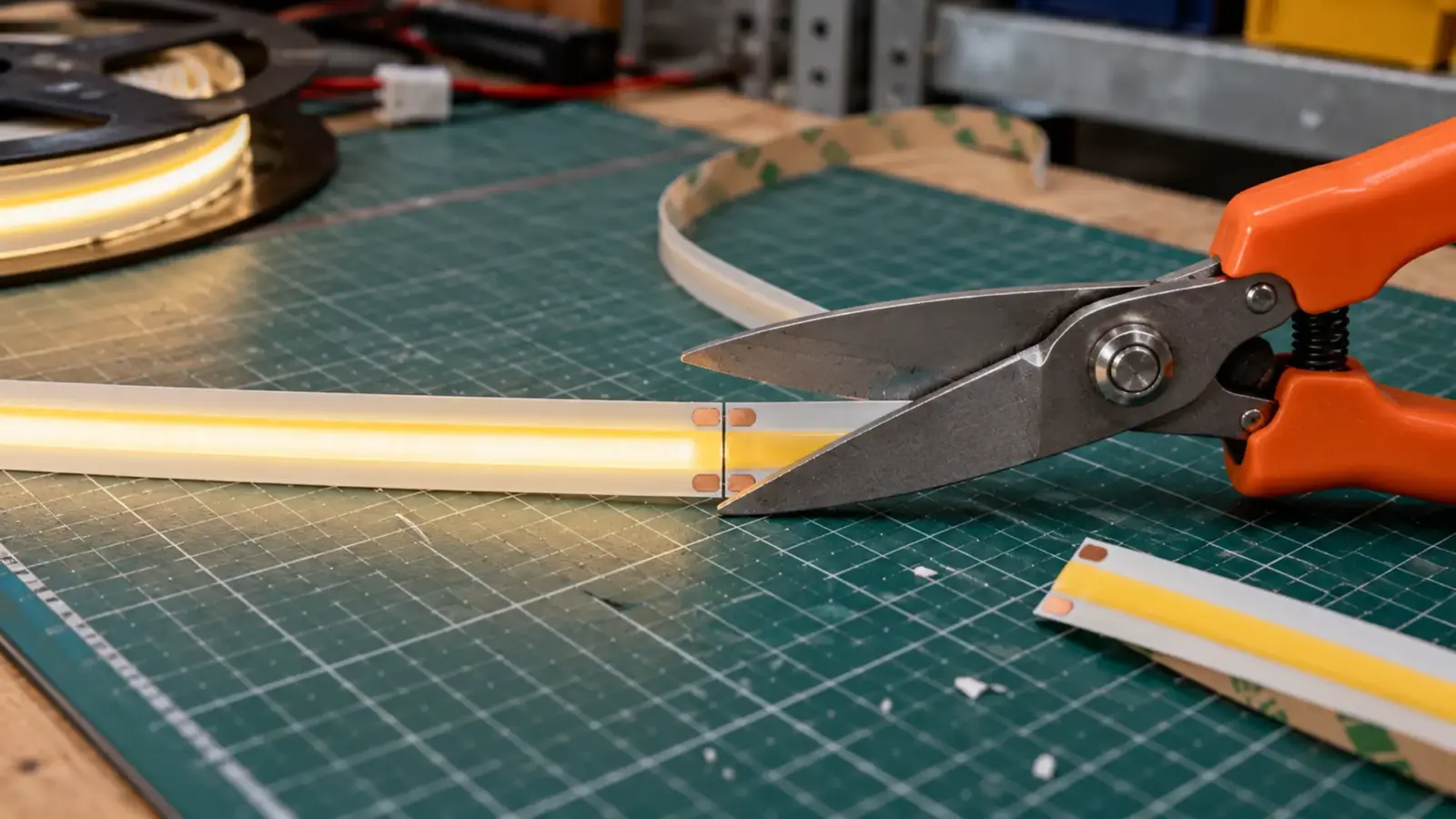
You can cut LED strip, but only on the printed cut mark. Cut a few millimeters off the line and the next section gets no power. Each family has its own interval, from any point on free-cut COB to 19.7 in on 120V strip, and the joint and the seal decide whether the piece keeps working.
This guide follows the order on a job: find the mark, cut, rejoin, seal, test. It covers 12V and 24V strip; the connector types have their own guide, and the cut-and-seal rules for neon flex are in the neon flex reel guide.
Where You Can Cut: The Printed Mark
Every strip carries a cut mark at a fixed interval, usually a line with a small scissor symbol and a pair of copper pads on each side. The pads are where the circuit is broken and remade. Between two marks the strip is one electrical segment, so a cut anywhere else severs a segment and leaves the section after it with no feed.
The interval depends on the product, and it sets how close to a target length you can land. These are the figures from our spec tables.
| Family | Example model | Cut interval |
|---|---|---|
| Standard COB | UT-C480-8 | 0.98 or 1.97 in (25 or 50 mm), by voltage option |
| Free-cut COB | UT-C528-8-FC | Any point |
| Mini-cut COB | UT-C400-3 | 0.39 or 0.79 in (10 or 20 mm) |
| Side-view COB | UT-C320-6-SV | 0.25 in (6.25 mm) |
| SMD 2835 | UT-S2835-120 | 0.98 or 1.97 in (25 or 50 mm) |
| SMD 5050, low density | UT-S5050-30 | 3.94 in (100 mm) |
| CSP standard and mini-cut | UT-CSP-320-N, UT-CSP-300-MC12 | 1.97 in (50 mm); 0.39 in (10 mm) |
| RGBW 5050 and COB | UT-RW60-12, UT-RW896-12 | 3.94 in (100 mm); 2.46 in (62.5 mm) |
| 120V line-voltage strip | UT-H120-72 | 19.7 in (500 mm); 9.8 or 4.9 in on COB |
Do the arithmetic before you cut. A 108 in (9 ft) cabinet run on UT-C480-8 at 24V cuts every 1.97 in. That is 54 increments, or 106.4 in, which leaves 1.6 in dark at one end. On UT-C528-8-FC the same run lands exactly. When the interval is longer than the gap you can hide, choose a shorter-interval model, not a closer cut.
120V strip is a line-voltage product, so cut it only at its marks, cap every cut end with the listed end cap, and leave the connection to a licensed electrician. The rest of this guide is about low-voltage strip.
Before the First Cut: Power Off, Plan the Pieces
Two checks come first.
Disconnect power. Cutting strip that is connected to a driver puts the cutter across a live circuit. Unplug or isolate the supply before the shears touch the strip.
Then write the cut list: every length the drawing needs, the longest run, and the feed point for each piece. A piece has to stay inside the run limit of its model, 16 ft (5 m) per feed on most standard strip, so a cut list is also a feed plan. Our voltage drop guide shows how the limits work, and our power supply sizing guide turns the list into driver loads.
Mark polarity on both sides of the cut while the strip is still in one piece. The pads are labeled, and a joint made with the polarity reversed is one of the common ways to ruin a section.
Making the Cut
Four checkpoints keep a cut clean.
- Lay the strip flat on a hard surface, off the reel, with the cut mark in view.
- Cut straight across the mark, through the middle of the line between the two pads, with sharp shears. A blunt tool crushes the pads or leaves a ragged edge that lifts the copper.
- Check both faces of the cut. Each side should show clean copper pads with no bridged solder, no smeared adhesive and no crushed silicone.
- Leave the unused piece intact. A piece cut at a mark still lights from its own pads, so it can be reused or kept as service stock.
If the strip has an IP rating, the cut has also opened the seal. Silicone-coated and sleeved strip is sealed again at the end of the job, as the section on IP strip below explains.
Cutting Special Strips
Most strip cuts the same way, and a few families have details worth knowing before the shears come out.
- RGB, RGBW and RGB+CCT strip has four to six pads on each cut face. The pads are labeled with the channel, so land each wire on its own label. Our guide to RGB, RGBW and RGB+CCT strip has the pin counts by type.
- Tunable white strip comes in 2-wire and 3-wire forms. They cut the same way, and the connector has to match the wire count; see our dim-to-warm and tunable white guide.
- Addressable strip can be cut at the marked points without harming the pixels that remain. Our addressable page says the data signal simply ends at the cut, and that the rejoin has to use connectors matching the model’s pinout: three pins for single-data SPI, more for breakpoint-resume and DMX models.
- Free-cut and side-view strip have unusual cut rules: free-cut COB cuts at any point, and side-view COB cuts at 0.25 in (6.25 mm). Read the model’s datasheet rather than the family habits above.
- Neon flex cuts at marks printed on its back and is re-sealed at the cut; the rules are in our neon flex reel guide.
Cut List, Spare Pieces and Labels
A cut list pays for itself in the field. Write one line per piece: the run it belongs to, its length to the nearest mark, the feed end and the connector at each end.
| Run | Length | Cuts | Feed end | Connector at far end |
|---|---|---|---|---|
| Cabinet bank A | 9 ft 0 in (106.4 in cut) | 1 | Left | End cap |
| Cabinet bank B | 6 ft 2 in | 1 | Left | Jumper to the next run |
| Shelf return | 3 ft 4 in | 1 | Right | End cap |
Label each piece with the run it belongs to before it leaves the bench, and keep the offcuts. A piece cut at a mark lights from its own pads, so offcuts become service stock for the next repair. Record how many cut marks each run has left in the as-builts; the next technician will want to cut again.
Rejoining: Solderless or Solder
A cut piece goes back into a circuit in one of two ways: a solderless connector that clamps onto the pads, or wire soldered to them. Both work. They differ in speed, in how much current they carry reliably and in how they behave on strips that are not bare.
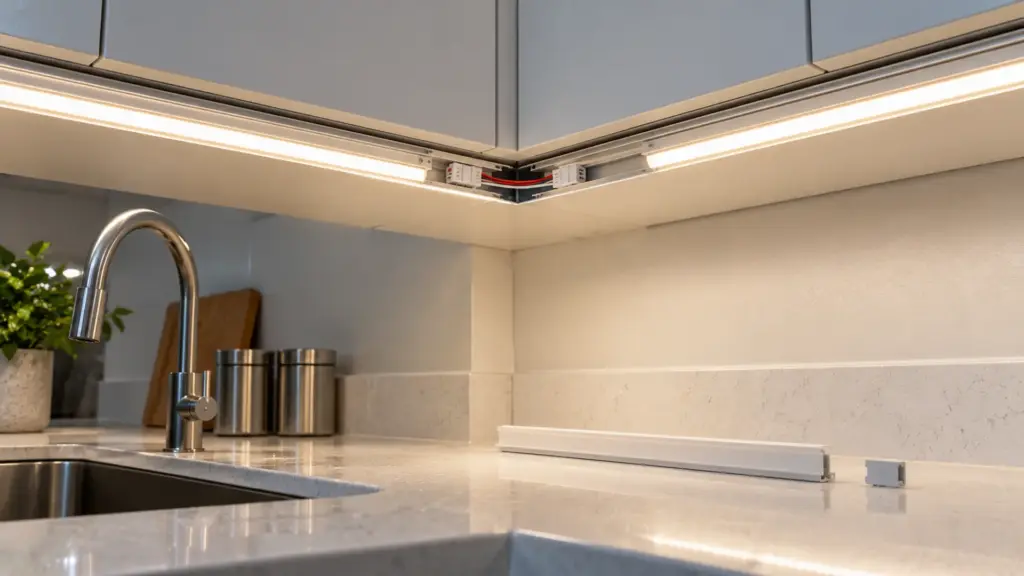
| Solderless clip | Soldered joint | |
|---|---|---|
| Speed | Fast; no tools beyond the cutter | Slower; iron, solder and heat-shrink |
| Skill | Low; alignment matters | Higher; heat control matters |
| Current | Limited by the connector rating; ours are rated 5 A | Limited by the wire and the pad |
| Coated or sleeved strip | Needs the coating cleared from the pads | Needs the coating cleared from the pads |
| Rework | Reopens and reseats | Desolder and redo |
| Where it suits | Dry interiors, quick installs, serviceable runs | High current, permanent joints, vibration, tight spaces |
Two rules decide most calls. First, compare the current the joint carries with the connector’s rating before you choose the clip. Our strip-to-strip, wire-to-strip and strip-wire-strip connectors are rated 5 A, and a full 10 ft (3 m) feed of high-output COB can reach that. Second, on a strip that is not bare, the pads sit under a coating, so the coating has to be cleared before either method works.
Our drivers, controllers and connectors page lists the connectors by PCB width (8, 10 or 12 mm), IP rating and circuit.
Soldering a Joint: Four Checkpoints
- Clear and clean the pads. On coated strip, remove the coating from the pads only, so nothing else is exposed. Wipe flux and dust off.
- Tin the pads and the wire ends with a small amount of solder before joining. Keep the heat short: long heat lifts the copper pads from the board, and a lifted pad cannot be repaired.
- Join the wire to the pad and check the polarity against the marks you made. Hold the wire still until the solder sets.
- Insulate the joint with heat-shrink tubing sized to cover the whole joint, and test before the strip goes anywhere. On IP strip, seal over the joint with the matching silicone.
A joint that looks dull or grainy is usually a cold joint and will fail under load. Redo it.
A Clip Joint: Four Checkpoints
- Match the connector to the strip. The PCB width, the number of conductors and the IP rating all have to match; a clip for the wrong width does not seat on the pads.
- Open the latch fully and slide the strip in until the pads sit under the contact teeth, with the cut edge square against the stop.
- Close the latch and check from the side that the strip has not shifted off the pads.
- Tug test and power test. A gentle pull should not move the strip, and the section should light at full output with no flicker.
A joint that works on the bench and flickers in a ceiling usually has a latch that opened when the strip was moved. Support the joint so it does not carry the weight of the strip or the wire.
Sealing a Cut End on IP Strip
A cut on silicone-coated, sleeved or tubed strip opens the construction. Our outdoor page says the same thing for every waterproof series: after cutting, the open end must be re-sealed with a matching silicone end cap and adhesive to restore the IP rating. A cut end left open is where water gets in, however good the rest of the strip is.
A clip connector’s own IP rating covers the joint, not the end of the strip beyond it, and not the point where the wire enters. Seal each of those. How the methods differ, and why the cut end is the weak point, has its own guide, how LED strip is waterproofed.
Test It Before It Goes Up
Power every cut piece at full output on the bench, with the same driver and the same polarity it will have on site, and look along its length. A short test catches most problems while the strip is still in your hands. Our installation guide builds this into the bench test for the whole run.
| Symptom | Likely cause | Fix |
|---|---|---|
| Section after the cut is dead | Cut off the mark, or a pad did not make contact | Recut on the next mark; reseat or resolder |
| Whole piece dark | Polarity reversed, or no feed at the joint | Check the marks and the pads |
| Flicker at the joint | Loose latch or a cold solder joint | Reseat the clip; redo the solder |
| Colors wrong on RGB or RGBW | Wires landed on the wrong pads | Match the pad labels |
| Far end dim after rejoining | Joint resistance or a long thin feed | Measure under load; shorten or thicken the feed |
| Joint warm to the touch | Current close to the connector rating | Move to a soldered joint or split the feed |
A warm joint is the one to take seriously. Our guide to whether LED strip lights are a fire hazard explains why joints are where heat builds up on a sound run.
Before You Power It
- Power was off for every cut, and every cut is on a mark.
- The cut list matches the drawing, and each piece is inside its run limit.
- Polarity is marked and matched at every joint.
- Each joint was tugged and tested, and none is warm.
- Every cut on IP strip is sealed with a matching end cap and silicone.
Cutting at the marked points, and wiring and sealing each cut as the instructions show, is normal installation under our warranty policy; cuts outside the marked points are excluded. Send the strip models and the cut list and we will return the joints and connectors for each run: request a quote.