
A strip that fails on the bench costs one reel. The same strip failing above a closed ceiling costs the ceiling. LED strip installation runs in a fixed order: check the reel against the submittal, power every run before it is mounted, cut only at marked points, fix it mechanically, feed it, and isolate before you energize.
Pre-Install Check: Reel, Submittal, Driver
Start with the paper. Read four lines off every reel label and compare them with the submittal and the drawing: the model number, the voltage, the color temperature, and the run limit. A 24V reel on a 12V driver, a 48V strip on a 24V driver, and a constant-current strip on a constant-voltage supply all light up wrong or not at all, and none of them can be fixed at the ceiling.
Check three more things before the first box is opened:
- Driver rating against the run. Add up the watts per foot times the run length, and keep the load at or below 80% of the driver rating. That 80% is our sizing rule, not a code requirement; the full method is in our power supply sizing guide.
- Run length against the model’s limit. The limit is on the datasheet, and it does not always mean the same thing (see the table in “Feeding the Run”).
- Channel against PCB width. The strip’s PCB must sit flat in the channel with about 1 mm of clearance. Eight, 10 and 12 mm are the common widths.
Checkpoint: every run on the drawing has a model, a length, a driver and a feed location written next to it. If one of the four is missing, stop and ask before cutting.
Bench Test Every Run
Power each run at its installed length, on the driver and the control path it will use on the job, before any of it is fixed in place. According to the GM Lighting LEDTask installation guide, the tape should be powered up and checked before it is mounted permanently. A fault found on the bench is a swap; a fault found after the ceiling closes is a repair order.
Uncoil the strip for the test. Coiled strip at full output holds its own heat, and a dark section inside a coil is easy to miss.
| Test | How | Pass |
|---|---|---|
| Polarity and first light | Connect to the job driver with a meter on the output | Positive and negative match the strip marks; the whole run lights |
| Uniformity | Look along the full length at full output | No dark section, no step in brightness |
| Color match | Lay two reels side by side | No visible tint difference between adjacent reels |
| Far-end voltage | Measure at the last cut point under full load | Within the drop the design allows |
| Dimming | Run the real dimmer from full to the lowest level | Smooth, no flicker, no color shift |
Diode LED’s low-voltage tape guide sizes feed wire to keep voltage drop under 3%; use whatever figure your design or the manufacturer states, and write the far-end reading on the drawing. A strip that fails the color-match line is a bench problem: reels from different production batches can differ in tint, so adjacent runs should come from the same batch.
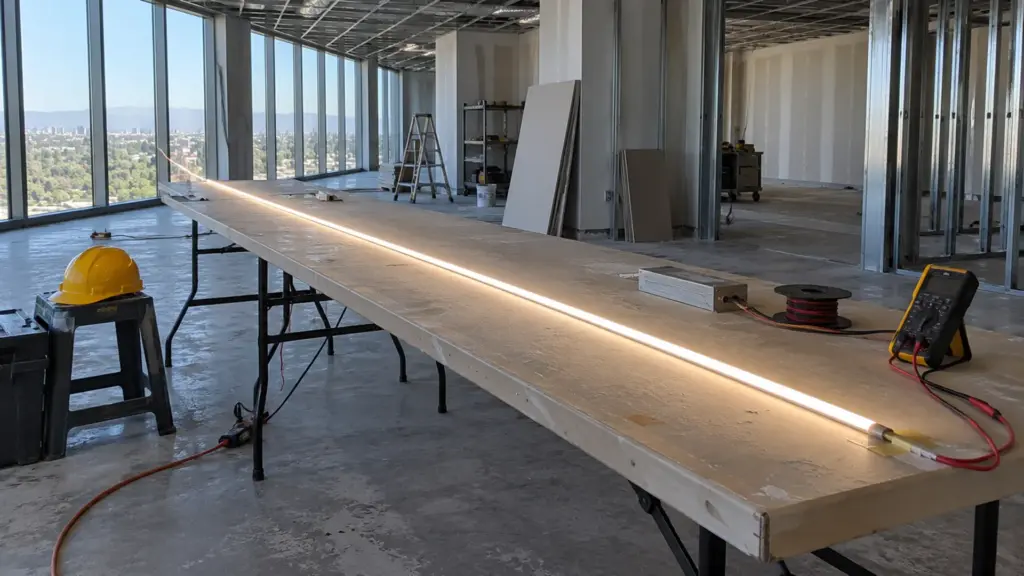
Checkpoint: each run has a pass mark and a far-end voltage reading written on its tag. Untagged runs do not go up the ladder.
Cutting and Joining: Marked Points Only
Cut only at the cut marks. According to the GM Lighting guide, cutting anywhere else can damage the circuit, and the section next to the cut can go dark with it. The distance between marks depends on the model, and a crew that learned on one strip will cut the next one wrong.
| Model | Cut increment | Note |
|---|---|---|
| UT-C312-8 | 0.76 in (19.23 mm) or 1.51 in (38.46 mm) | Standard COB |
| UT-C320-8, UT-C480-8 | 0.98 in (25 mm) or 1.97 in (50 mm) | Standard COB |
| UT-C384-8 | 1.23 in (31.25 mm) | 24V COB |
| UT-C960-15 | 1.97 in (50 mm) | High-density COB |
| UT-C400-3 | 0.39 in (10 mm) or 0.79 in (20 mm) | Ultra-narrow COB |
| UT-C320-6-SF | 0.49 in (12.5 mm) | Solder-free COB |
| UT-C528-8-FC | Any point | Free-cut COB |
| UT-S2835-128-HE | 2.46 in (62.5 mm) | High-efficacy SMD |
| UT-S5050-30 | 3.94 in (100 mm) | 5050 SMD |
Some models change their increment with voltage, so read the row for the voltage you ordered.
Join with the connector made for the strip, and run the five checks in our LED strip connector guide. Our connector set has three types: BB for strip-to-strip, XB for wire-to-strip, and BXB for strip-wire-strip across a gap or corner, each rated 5 A in the 8, 10 and 12 mm PCB widths. Five amps is 120 W at 24V and 60 W at 12V. A 16 ft (5 m) feed of UT-C480-8 at 3.2 W/ft loads 51.2 W, which is 2.1 A at 24V and 4.3 A at 12V, so the 12V version sits close to the connector limit on a full run. Use the drivers, controllers and connectors range as a matched set rather than mixing brands at the joint.
Never cut or connect a strip on a live circuit. On outdoor or IP-rated strip, every cut end needs a matching end cap and sealant before it sees water; the details are in our wet location guide.
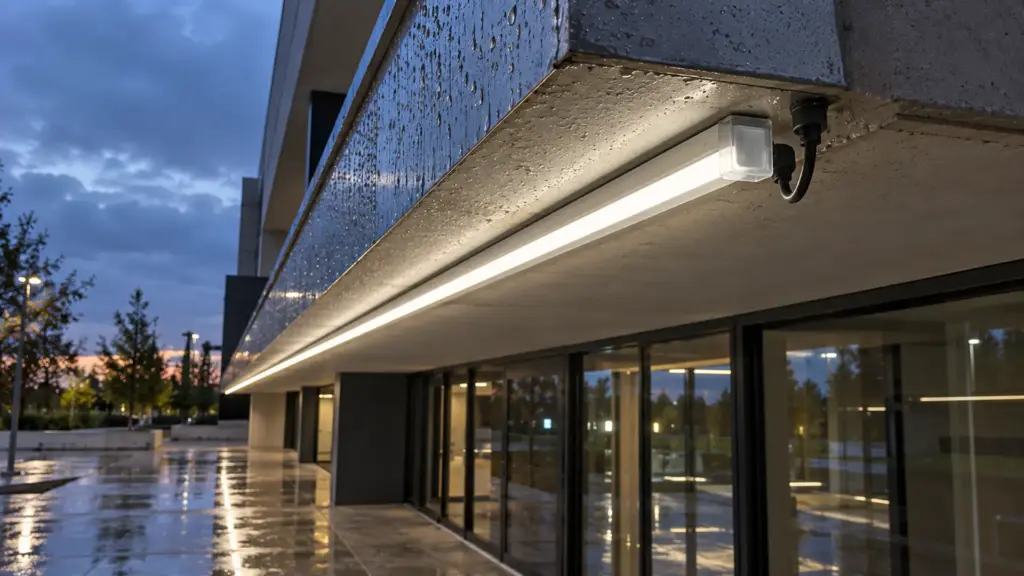
Checkpoint: each cut end and each joint is either capped or in a connector, and the joint locations are on the drawing.
Mounting the Strip and Channel
Adhesive backing holds a strip to a surface; it does not fix it. According to Diode LED’s installation guide, the surface must be clean and the ambient temperature at least 50 °F (10 °C) for the adhesive to bond, and manufacturers recommend added clips for ceilings and high-traffic areas. In a ceiling or a cove, treat the adhesive as a placement aid and let a channel or a clip carry the weight.
Match the channel to the strip by number, not by eye:
| Channel | Max strip width | Style |
|---|---|---|
| UT-CH1207 | 8 mm | Surface, compact |
| UT-CH1013 | 10 mm | Surface, slim |
| UT-CH1616 | 10 mm | Corner, 45° aim |
| UT-CH1715 | 12 mm | Recessed, flanged |
| UT-CH2020 | 12 mm | Recessed, trimless plaster-in |
| UT-CH2415 | 15 mm | Surface, deep |
| UT-CH3020 | 20 mm | Surface, wide |
Channels come in 6.6 ft (2 m) and 9.8 ft (3 m) lengths and cut cleanly with a miter saw and a non-ferrous metal blade; the end caps re-seat on a cut end. Deburr the cut, test-fit the strip before the final fix, and keep the strip in its box until the drywall dust and paint are done. For a recessed channel the plaster or millwork goes in first and the diffuser clicks in last. Which profile to use for which space is in our channel selection guide, and the cover choice is in the diffuser guide. The LED channels and diffusers range lists every profile with its dimensions.
Put clips and screws where the model’s install sheet says; the spacing depends on the channel and the substrate.
Checkpoint: the channel is straight and fixed before any strip goes in, the PCB sits flat with clearance, and the diffuser is still in its box.
Feeding the Run: Wire, Drivers, Voltage Drop
A strip run is a circuit with a limit, and the limit is on the datasheet. The same words describe different limits on different models.
| Model | Max run as listed | What it means |
|---|---|---|
| UT-C320-8 | 16 ft (5 m) per feed | One feed point per 16 ft; the next 16 ft needs its own feed |
| UT-C384-8 | 32 ft (10 m) with no voltage drop | The listing is a no-drop figure, not a per-feed one |
| UT-C960-15 | 10 ft (3 m) per feed | High density loads the PCB harder |
| UT-C480-8-48V | 65 ft (20 m) single feed | 48V cuts the current for long runs |
| UT-C480-8-CC | 65 ft (20 m) constant current | Needs a constant-current driver |
If the design needs more than one feed, feed from both ends or inject at the far end with a heavier wire, and keep the driver output run short. The reasons and the math are in our voltage drop guide. The driver goes where it can be reached for service, not where it is easiest to hide; a Class 2 driver output and its wiring method are an inspector question, covered in the NEC guide. Our Class 2 drivers, such as UT-D60-24-C2, are rated 60 W and are IP20, so they stay in a dry space.
Checkpoint: every feed point has a wire gauge on the drawing, and the driver location is reachable without opening a finished surface.
Energizing: Isolation and Power-Up Order
Isolate first, energize last. Lock out the branch circuit feeding the driver before anyone works on the input side, and finish every strip joint and polarity check before the circuit goes live. Manufacturer manuals say the same thing in plain terms: cut the power at the main before installation or maintenance.
Then bring the system up in an order that isolates faults:
- Make and inspect every strip joint and end cap.
- Wire the driver output with a meter on it and confirm polarity before the strip is connected.
- Connect the dimmer or controller on its own wiring path.
- Energize one run at a time, at full output.
- Read the voltage at the driver output and at the far end of each run, and write both on the tag.
If two runs share a driver, energize them one after the other, then together. A fault that appears only when both are on points to the driver load, not to either strip.
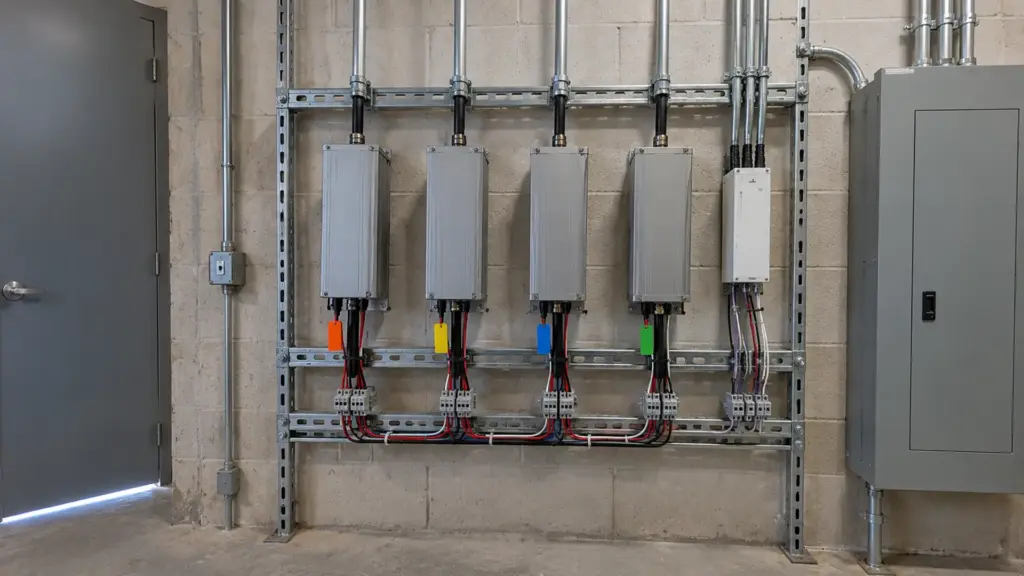
Checkpoint: each run lit alone, then together, with the readings written down.
Commissioning the Dimming Path
A dimmer has to match the driver it controls. A 0-10V dimmer needs a 0-10V driver, such as UT-D96-24-010 or UT-D60-24-C2-010, and a TRIAC dimmer needs a TRIAC driver, such as UT-D60-24-TRC. According to HitLights’ troubleshooting guides, a low-voltage dimmer on a non-dimmable driver, or a line-voltage dimmer on the wrong driver, is a common cause of flicker. The pairing rules are in our dimming guide.

Test the whole dimming range, not the full-on state:
- Run the dimmer from 100% to its lowest setting and watch for steps, flicker or a color shift.
- Set and write down the minimum level for each zone.
- Label each zone at the controller so the owner can find it later.
Checkpoint: every zone dims from full to minimum without flicker, and the zone names match the drawing.
When Something Fails: Symptom to Fix
Most field faults are one of four things: a joint, a wire, a driver, or a dimmer. Check them in that order.
| Symptom | Likely cause | Check first |
|---|---|---|
| One section dark, both neighbors lit | Bad joint or a broken trace in that section | Reseat the connector; bend the strip gently at the edge of the dark section |
| Far end dim or tinted | Voltage drop on a long run or thin feed wire | Measure at the far end; add a feed or a heavier wire |
| Whole run flickers | Driver or input connection | Check the driver input and the load against its rating |
| Flickers only when dimmed | Dimmer and driver do not match | Compare the dimming type on both |
| Nothing lights | Reversed polarity or an open circuit | Meter the driver output and compare with the strip marks |
| Two reels differ in tint | Different production batches | Swap one run to a same-batch reel |
| Adhesive lifts | Dirty or cold surface | Clean, add clips or move to a channel |
The first row follows HitLights’ guidance on intermittent solderless connectors and cracked traces. If the cause is not in the table, test the strip on the bench driver; that tells you in a minute whether the strip or the system is at fault.
Service Access and Handover
Build for the person who opens the ceiling in five years. A strip that cannot be replaced without cutting a finished surface is a design fault, not an install detail.
- Keep every joint and driver reachable. Do not bury a connector in a sealed cove.
- Label each driver with the circuit and the zones it feeds.
- Hand over a run map: model numbers, lengths, driver locations, feed points, and the far-end voltage readings from commissioning.
- Add spare lengths of each model where the owner can find them, with datasheets and the warranty terms.
Checkpoint: the owner can find every driver and every zone without asking the installer.
Final Checks
- Reel labels match the submittal and the drawing.
- Each run passed the bench test and carries a tag with its far-end reading.
- Cuts are on marked points, and joints are in the right connector.
- Channels are fixed and straight; diffusers go in last.
- Feed points, wire gauges and driver loads match the drawing.
- Power-up was done in order, one run at a time.
- Every zone dims smoothly to its minimum.
- Drivers and joints are reachable, and the run map is in the handover package.
The models mentioned here are in our COB LED strip range, with samples available on request.